

Slack
Slack Review Alerts
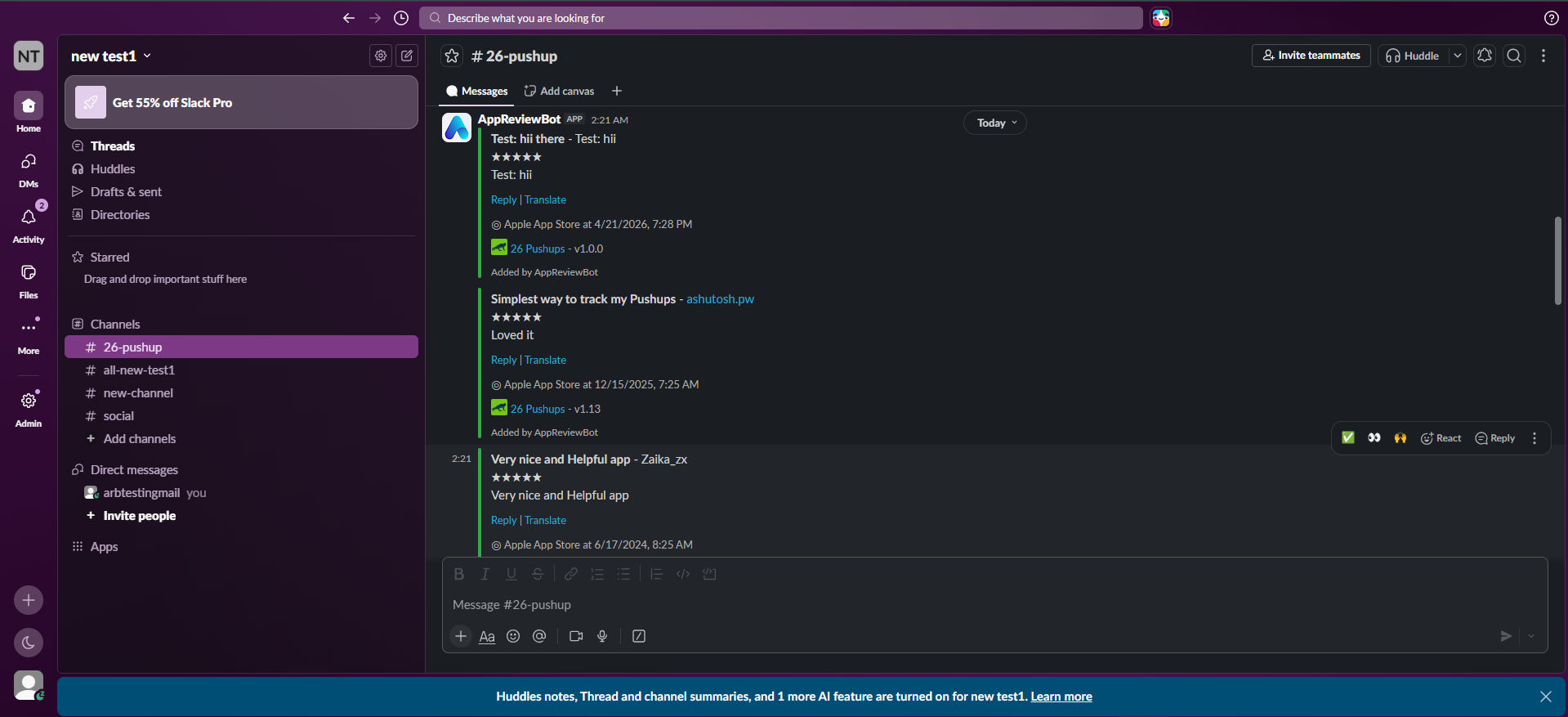
Review Alerts posts new app store reviews to Slack as soon as AppReviewBot detects them. Each message is a formatted review card your team can read, filter, and act on without opening the dashboard.
Features
- Instant alerts — New reviews appear in Slack automatically; no manual refresh
- Rich review cards — Star rating, reviewer name, review text, app name, store links, and a translate link for non-English reviews
- Filters — Limit by star rating and country when creating the app subscription
- Channel routing — Send different apps or rating ranges to different Slack channels via separate destinations
Setup
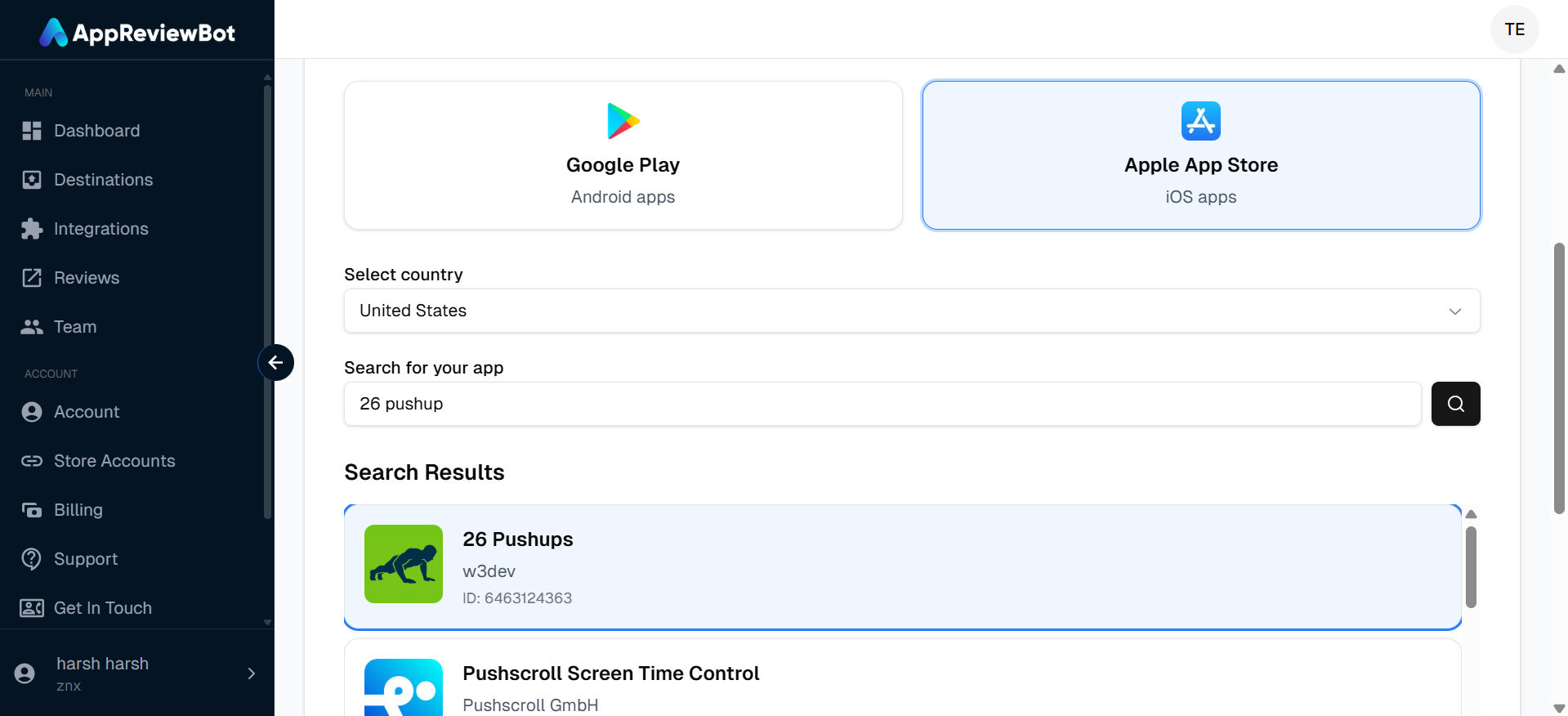
1. Select an app
In the dashboard, start Create App and search for your app on Google Play or the App Store.
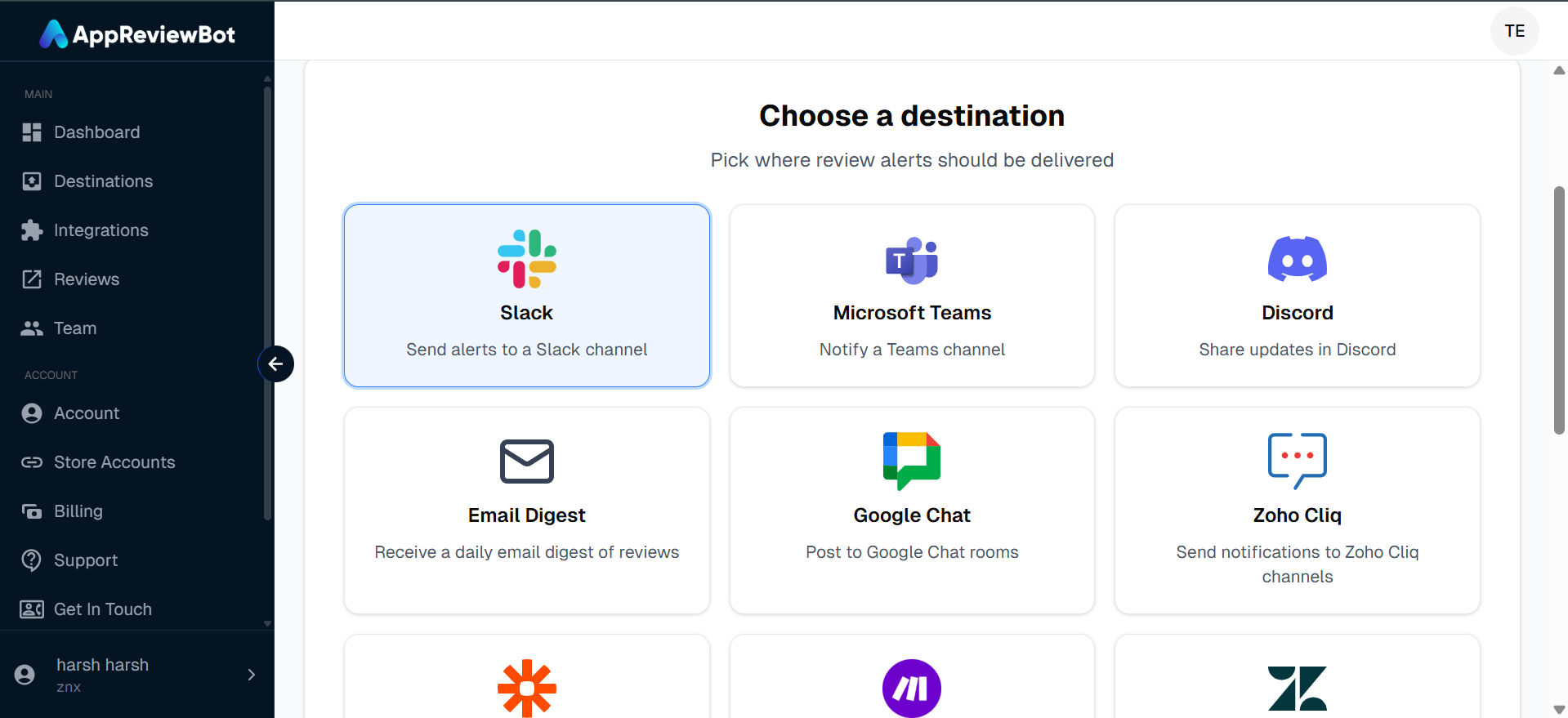
2. Choose Slack as the destination
Pick Slack as the integration platform for review alerts.
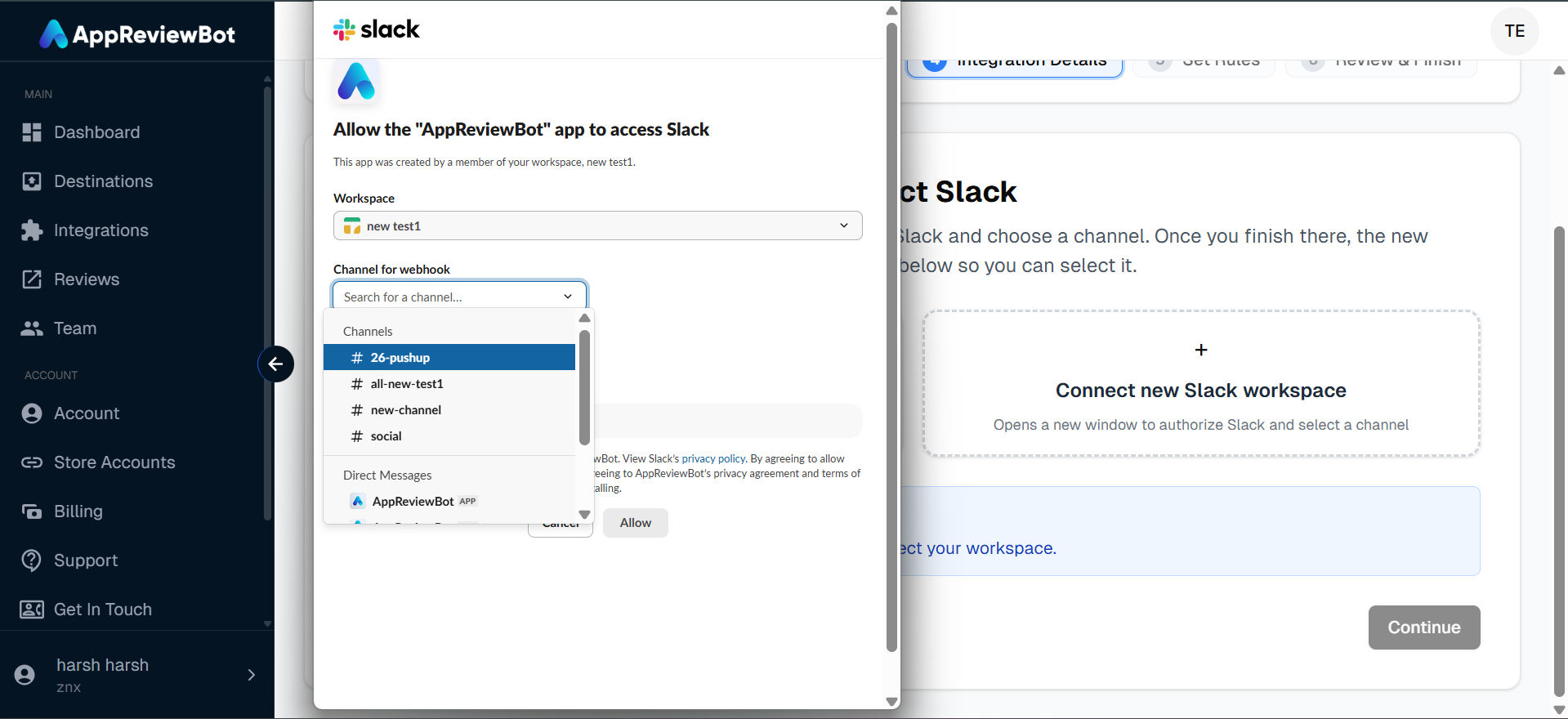
3. Create a destination and authorize Slack
Add a new Slack destination, complete OAuth in the popup, and choose the channel where reviews should be posted.
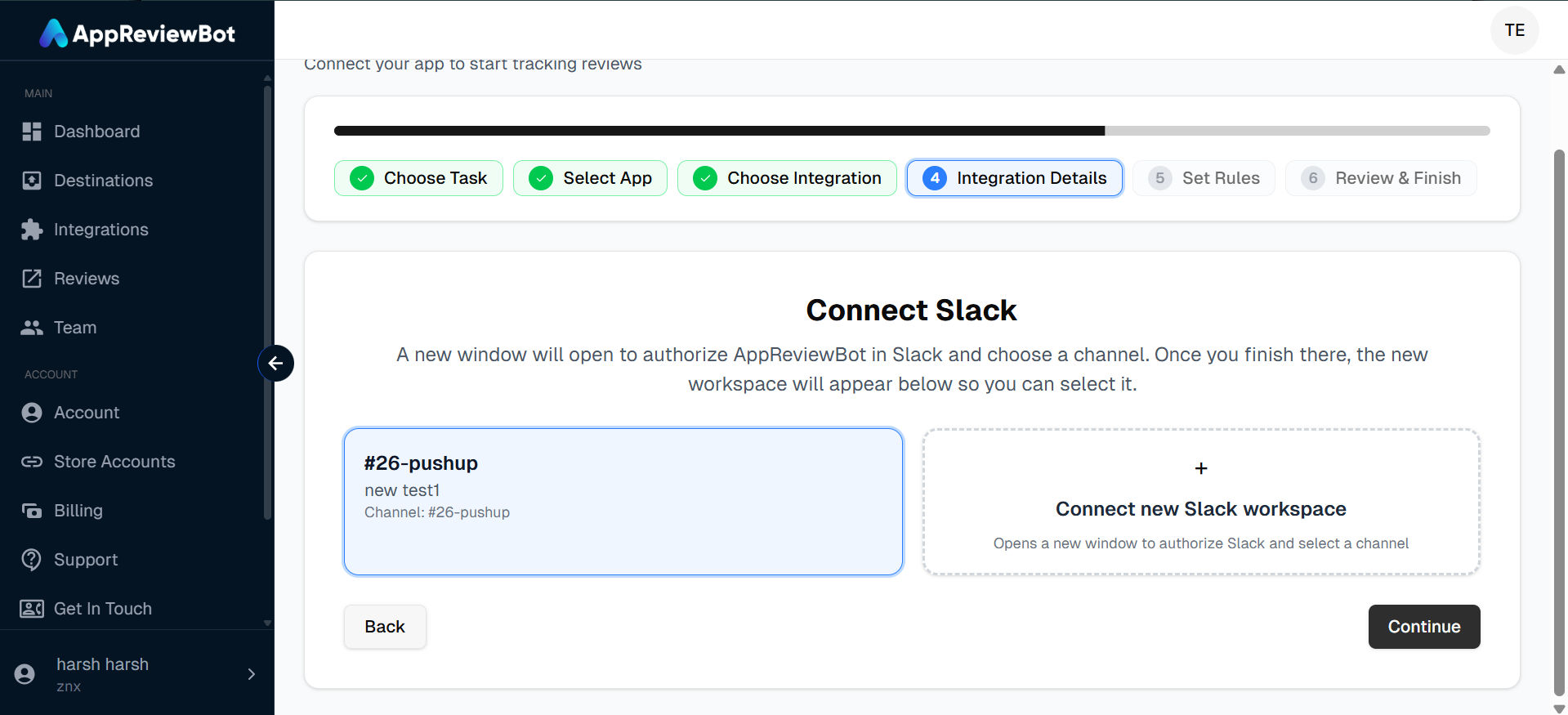
4. Finish app setup
Select the destination you created, set rating and country filters, and complete the wizard.
5. Reviews arrive in Slack
Matching reviews show up in the channel as review cards.
Common use cases
- Stay on top of feedback — Founders and app owners see new reviews in Slack without opening App Store Connect, Play Console, or the dashboard
- Act on issues faster — Product and engineering spot bugs, crashes, and regressions in review text right after a release and discuss fixes in the thread
- Route the right reviews to the right people — Send 1–2 star reviews to a support or triage channel and broader feedback to a product channel
- Keep the whole team aligned — Support, product, and leadership share one live feed of what customers are saying
- Monitor multiple apps in one place — Teams with several apps route each app (or rating range) to the Slack channel that owns it
Next steps
- Enable Reply from Slack to respond from the same channel
- Ask questions from AppReviewBot AI Agent in Slack
- Connect your store account if you plan to reply from Slack