

AppReviewBot AI Agent in Notion
The AppReviewBot AI Agent lets you ask questions about your connected apps and their reviews from inside Notion. It uses AppReviewBot's MCP connection to retrieve live data, so you can ask for recent reviews, review details, trends, and app-level information without leaving your workspace.
This is a separate workflow from Review Sync. The AI Agent does not depend on the Notion review database: it reads the current AppReviewBot data for the authenticated organization. You can use either workflow or both together.
Setup
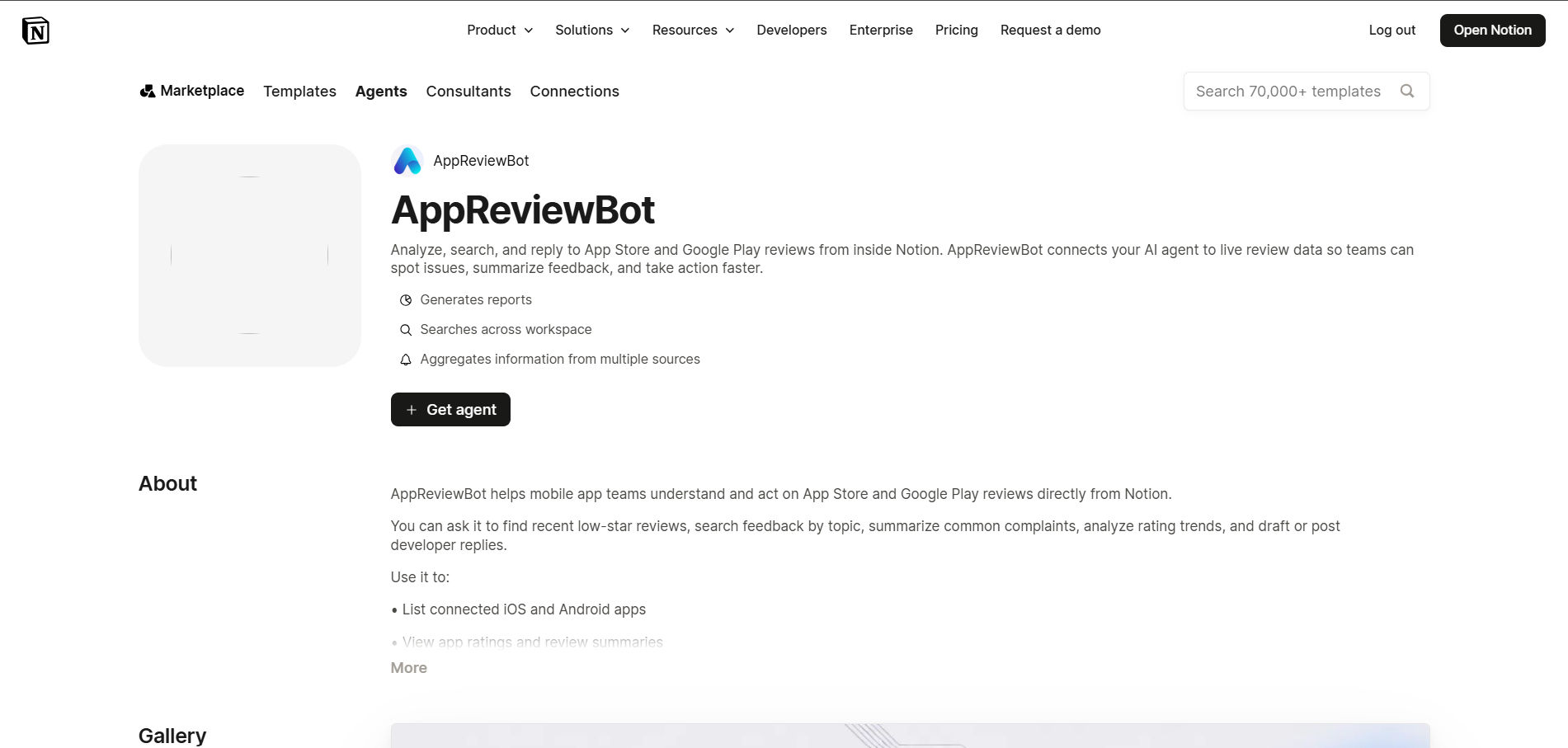
1. Install the AppReviewBot AI Agent template
Open the AppReviewBot AI Agent template and install it in your Notion workspace.
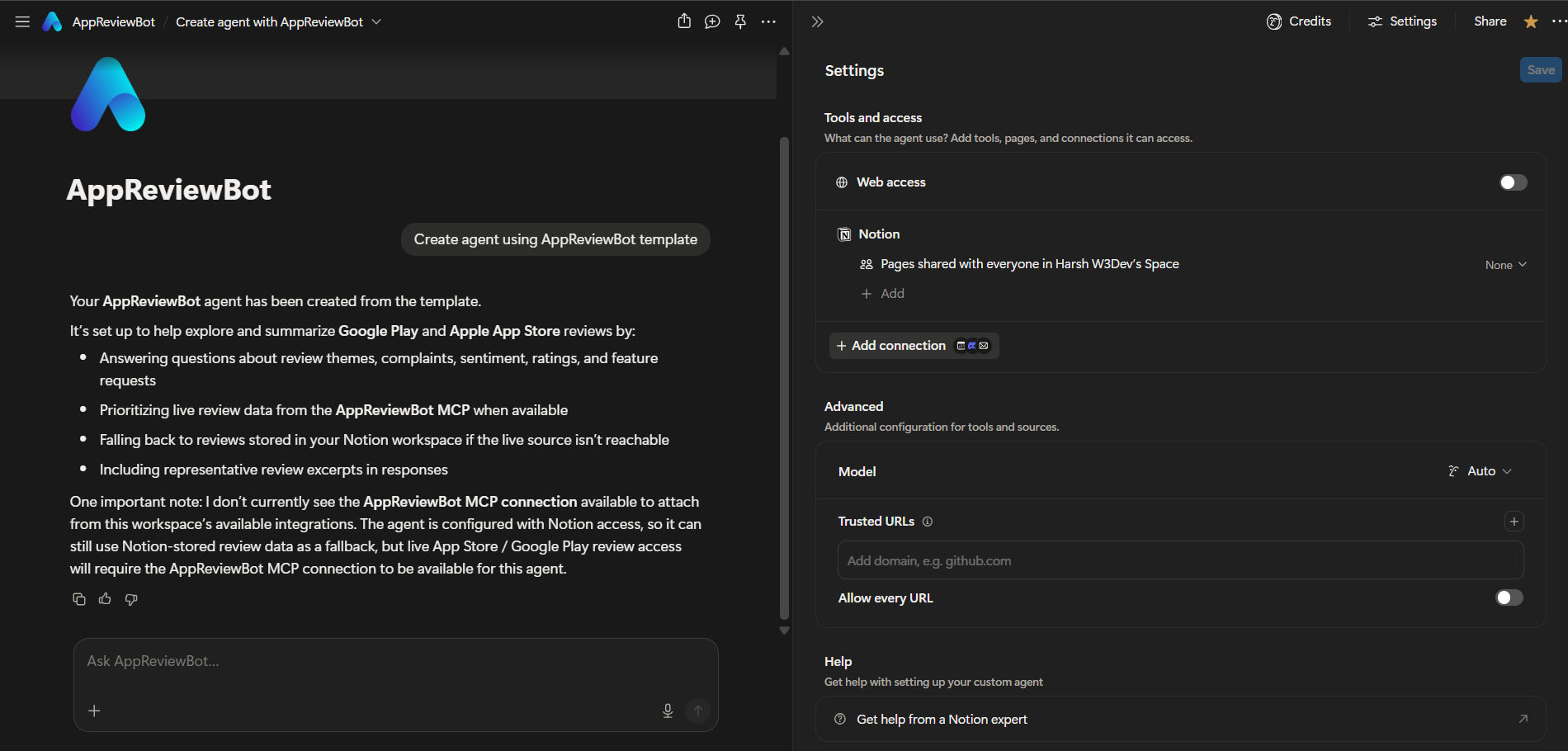
2. Open Tools & access
Open the installed agent's template settings. Under Tools & access, click Add connection.
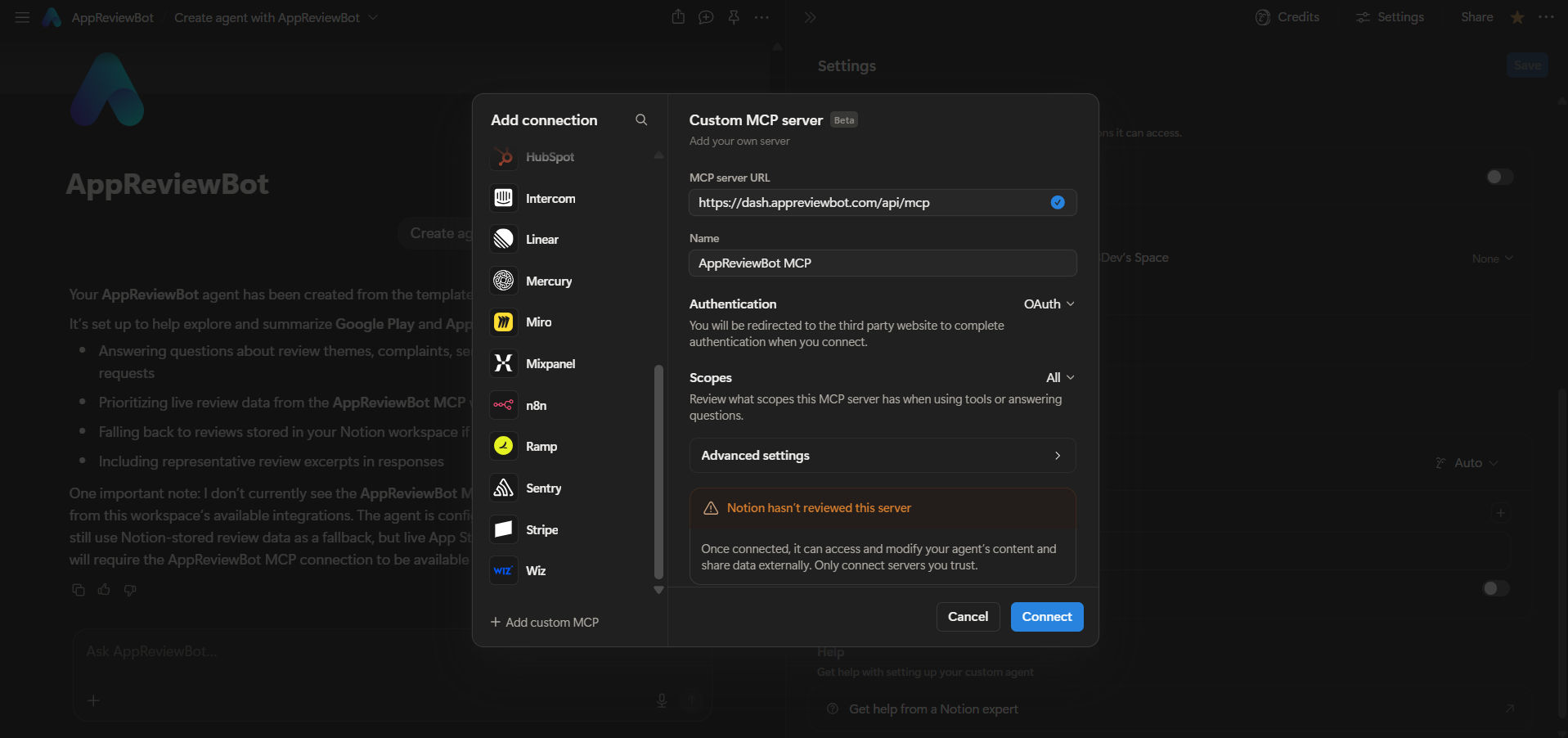
3. Add the AppReviewBot MCP connection
In the connection dialog:
- Click Add custom MCP.
- Enter this MCP URL:
https://dash.appreviewbot.com/api/mcp - Set the connection name to AppReviewBot MCP.
- Complete the AppReviewBot OAuth flow when prompted.
After authorization is complete, the agent can access the AppReviewBot tools available to your account.
The OAuth connection keeps access scoped to your authenticated AppReviewBot organization. The agent can only resolve apps and reviews that your account is allowed to access.
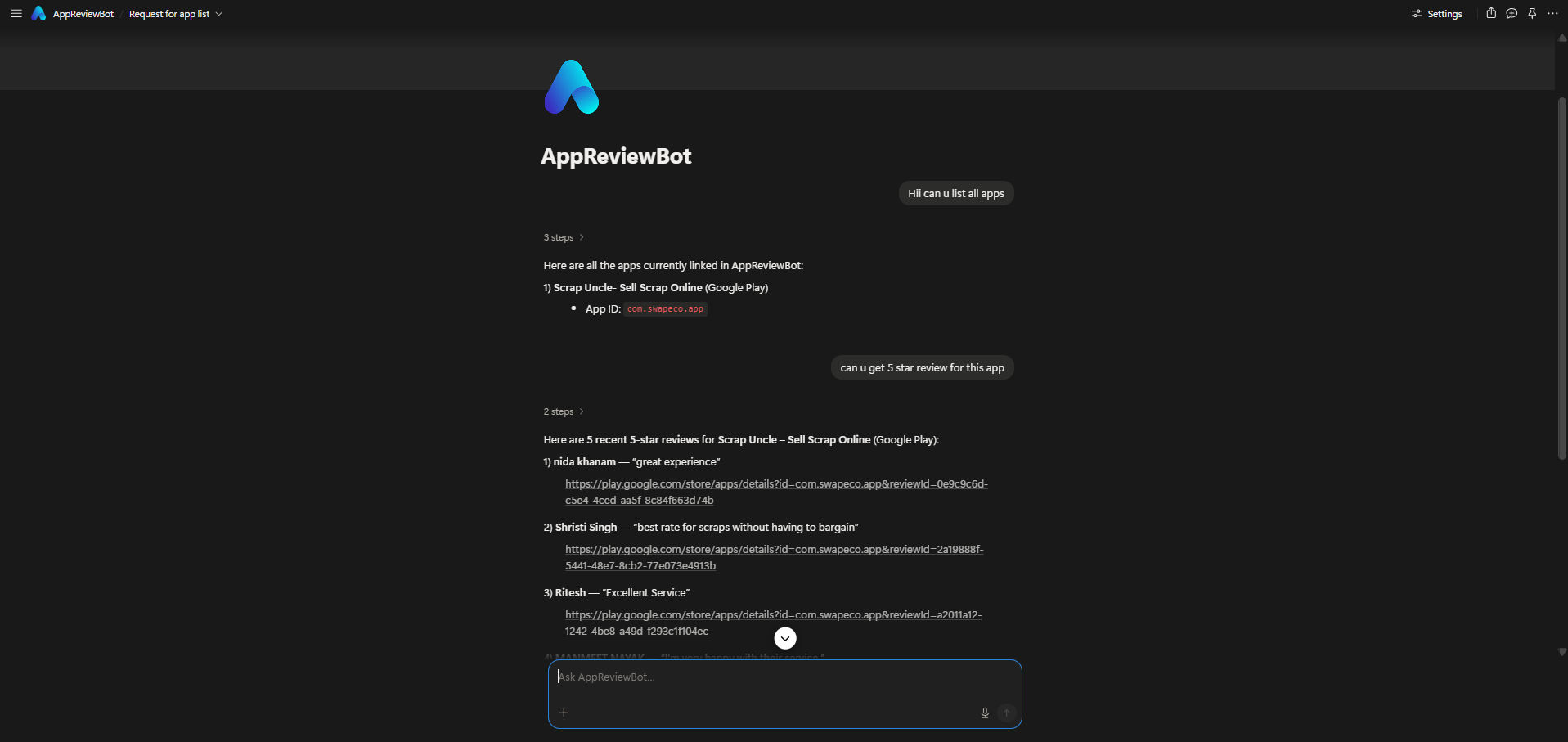
4. Ask the AppReviewBot AI Agent
You can now ask the agent about your apps and reviews using natural language. For example:
- “What apps are connected to my AppReviewBot account?”
- “Show me the most recent reviews for my Android app.”
- “What are users complaining about most in one-star reviews?”
- “Summarize the latest feedback for my app.”
What the AI Agent can do
The MCP connection provides these tools:
| Capability | What you can ask for |
|---|---|
| List connected apps | Show every Apple App Store and Google Play app linked to your organization |
| Get app details | See an app's store, average rating, total review count, and star distribution |
| Get recent reviews | Browse the newest reviews, with optional app, store, and star-rating filters |
| Get review details | Open the full text, rating, author, date, sentiment, and developer reply for one review |
| Search reviews | Find reviews by words or topics, optionally filtered by positive, negative, or neutral sentiment |
| Review analytics | Get review volume, average rating, star distribution, and sentiment for the overall dataset or the last 7, 30, or 90 days |
| Find unanswered reviews | List reviews that do not have a developer reply |
| Reply to a review | Publish a final reply to Apple App Store or Google Play when the required store account and plan access are available |
The first seven capabilities read AppReviewBot data. Reply to a review is a write action: it publishes the supplied reply text to the external app store and requires a connected developer account linked to the app and a paid plan. Use it only after reviewing the final text.
Example questions
- “Which apps are connected to my organization?”
- “Show the latest one-star reviews for my Google Play app.”
- “Find reviews mentioning crashes or login problems.”
- “What is the sentiment and rating distribution for the last 30 days?”
- “Show me reviews that have not been answered.”
- “Get the full details for this review.”
- “Draft a reply to this review.”
- “Publish this final reply to the store.”
The agent can use follow-up questions in the same conversation. For example, after asking for recent one-star reviews, you can ask it to summarize the common complaints or identify the affected app version.
Requirements
- A Notion workspace where you can install the custom agent template
- An AppReviewBot account with connected apps and review data
- Permission to add a custom MCP connection in Notion