

Cursor Plugin
Available in Cursor
Use the AppReviewBot Cursor Plugin to query connected app reviews, analytics, sentiment, and unanswered feedback directly from Cursor. Install it from the Cursor Marketplace, then connect AppReviewBot when Cursor prompts you.
Overview
The AppReviewBot Cursor Plugin connects Cursor to the AppReviewBot MCP server. It lets product, support, engineering, and growth teams investigate Apple App Store and Google Play feedback without switching between tools.
The plugin uses your authenticated AppReviewBot organization. It can only access apps and reviews that are already connected to that organization.
Requirements
- Cursor 3.13.0 or newer with support for Plugins and remote MCP servers
- An AppReviewBot account
- At least one app connected in AppReviewBot from Google Play or the Apple App Store
- Permission to authorize AppReviewBot in your organization
Install and connect
1. Install the plugin
In Cursor, open Customize or Settings, open Plugins, and search for AppReviewBot. Select the AppReviewBot plugin and install it.
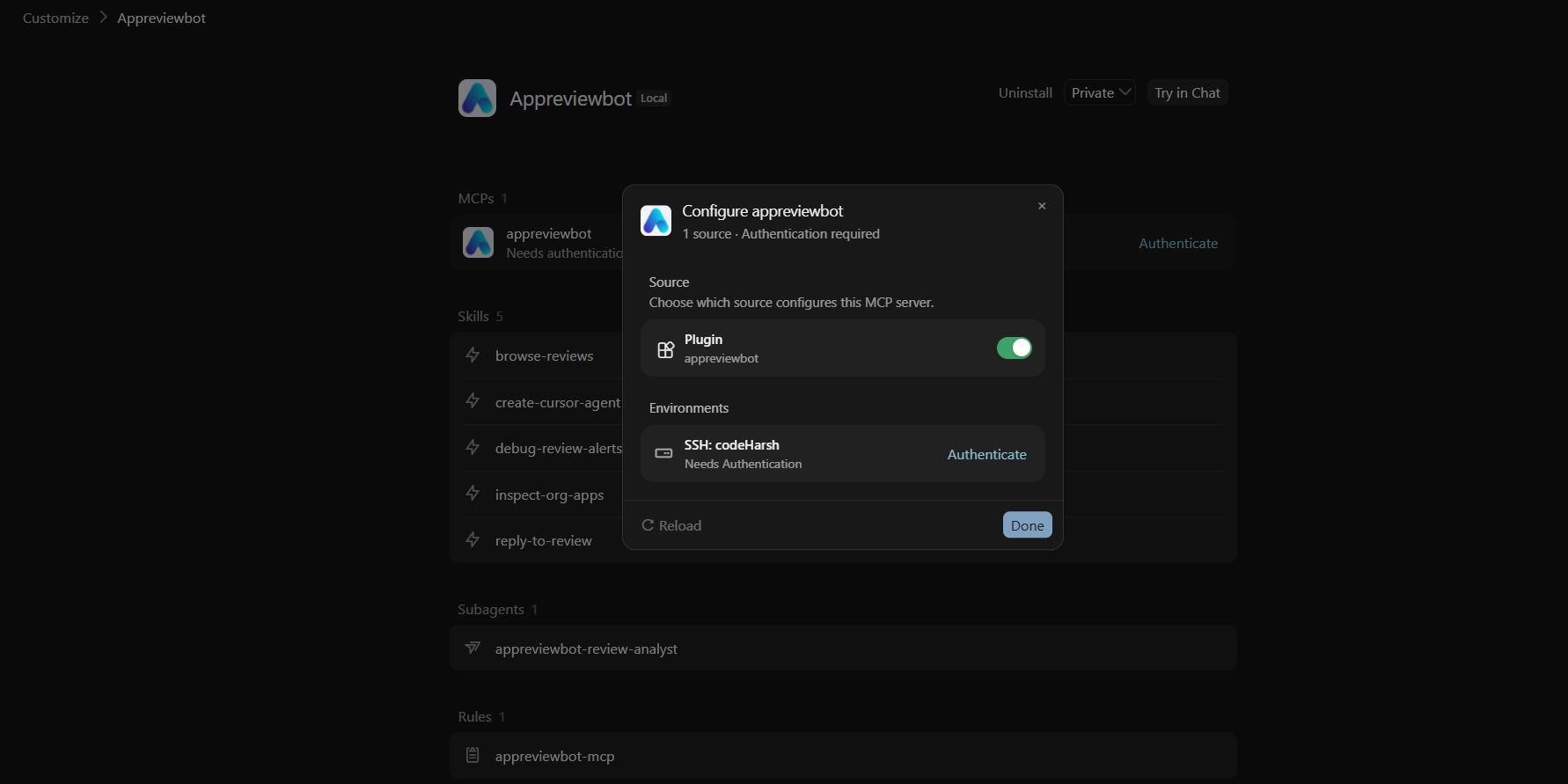
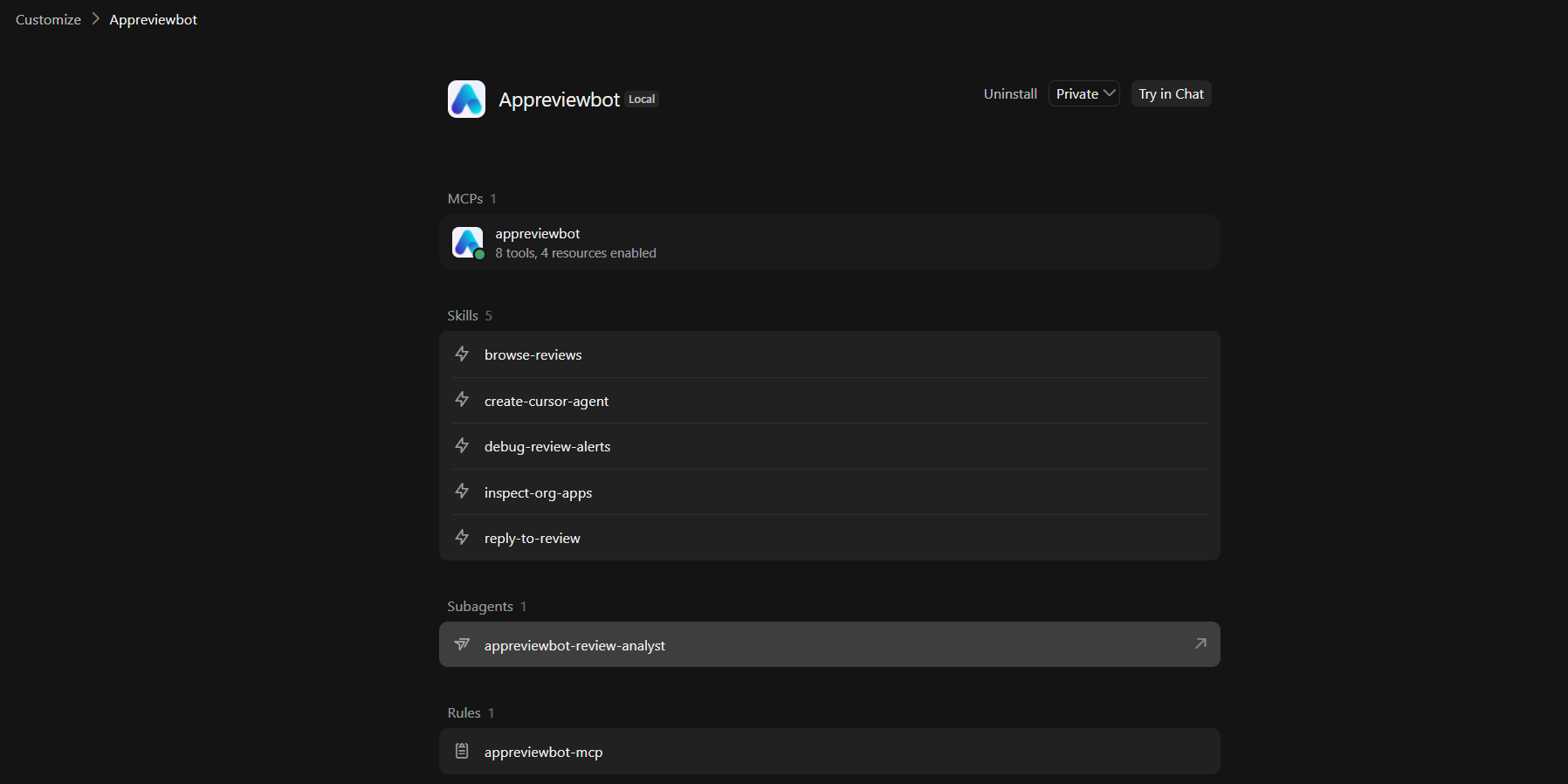
The plugin includes the AppReviewBot MCP server, review-analysis skills, a review analyst agent, and safety guidance for review replies.
2. Connect AppReviewBot
After installation:
- Open Cursor Settings → MCP.
- Find AppReviewBot in the MCP server list.
- Click Connect.
- Sign in to AppReviewBot when the OAuth window opens.
- Review and approve the requested access.
- Return to Cursor and confirm that AppReviewBot is connected.
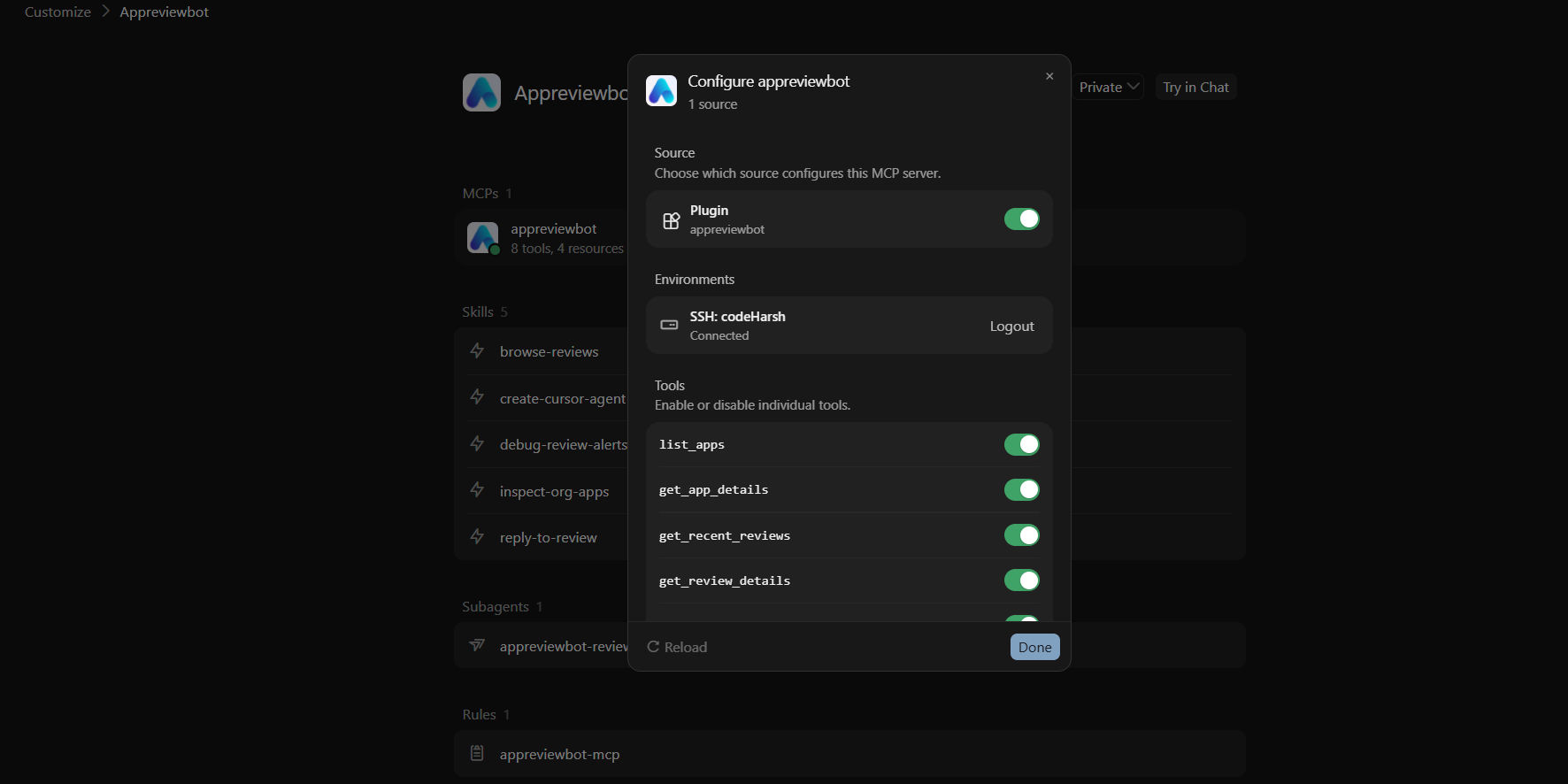
The connection uses OAuth and the production AppReviewBot MCP endpoint. You do not need to copy an API key into the plugin.
Read access (mcp:read) is used for review analysis. Replying to an app store review requires write access (mcp:write) and always requires an explicit confirmation before publishing.
3. Use AppReviewBot tools and skills
Open Cursor Agent and ask about one of your connected apps. If you have multiple apps, include the app name in your question so the result is scoped correctly.
What you can do
Review analytics
Ask for rating trends, review volume, sentiment, and star distributions over the last 7, 30, or 90 days.
Example prompts:
- “Show me 30-day review analytics for [app name].”
- “How has sentiment changed over the last 90 days?”
- “What is the current rating and star distribution for [app name]?”
Find recent and unanswered reviews
Retrieve recent feedback or identify reviews that still need a response.
Example prompts:
- “Show the latest reviews for [app name].”
- “Find unanswered reviews from the last 7 days.”
- “Show recent one-star reviews from Google Play.”
Search for themes and issues
Search review text by keyword, topic, or sentiment to investigate bugs, billing problems, feature requests, and release regressions.
Example prompts:
- “Find negative reviews mentioning crashes.”
- “Search for reviews about refunds and subscription charges.”
- “What are users saying about the latest login update?”
- “Group the most common complaints from the last 30 days.”
Inspect a specific review
Open the full details for a review, including its rating, text, app version, store, and reply status.
Example prompts:
- “Show the full details for review [review ID].”
- “Which app version is mentioned in this review?”
- “Has this review already received a reply?”
Draft and publish replies
The plugin can help draft a developer reply and, when your connection has write access, publish it to the supported app store.
Use this workflow:
- Ask Cursor to show the review details.
- Ask it to draft a concise, helpful reply.
- Review the proposed text and request changes if needed.
- Ask Cursor to preview the reply using the review ID.
- Explicitly confirm that the reply should be published.
Never treat a draft or preview as a published reply. Cursor must receive your explicit confirmation before the publish action.
Privacy and security
- AppReviewBot data is scoped to the organization authenticated through OAuth.
- Cursor can only access apps that your organization has connected in AppReviewBot.
- The plugin does not contain AppReviewBot API keys or store your OAuth secrets.
- Review replies are protected by a preview-first and explicit-confirmation workflow.
- Cursor’s handling of conversation data is subject to Cursor’s privacy policy.
- AppReviewBot’s handling of account and review data is described in our Privacy Policy.
To revoke access, disconnect AppReviewBot from Cursor’s MCP settings or remove the AppReviewBot connection from your AppReviewBot account settings.
Troubleshooting
AppReviewBot does not appear in Plugins
Make sure you are signed in to Cursor and using a version that supports Cursor Plugins. Search for the exact name AppReviewBot and reload Cursor after installation.
Cursor shows “needs authentication”
Open Settings → MCP, select AppReviewBot, and click Connect. Complete the AppReviewBot OAuth flow in the browser, then return to Cursor and reload the MCP connection.
Cursor cannot find my app
Connect the app in the AppReviewBot dashboard first. Then ask Cursor to “list my connected apps” and use the exact returned app name in follow-up questions.
I can analyze reviews but cannot publish a reply
Your OAuth connection may only have mcp:read access. Reconnect AppReviewBot and approve write access if your organization permits replies. Publishing still requires an explicit confirmation for each reply.
Results are empty or outdated
Confirm that the app’s store account is connected and review fetching is active in AppReviewBot. You can also open the app in the AppReviewBot dashboard to confirm when reviews were last synchronized.
Related guides
Need help?
If you have trouble installing or connecting the plugin, contact us through the Contact Page.