

What Are Subscriptions?
Summary
A subscription connects AppReviewBot to one of your mobile apps and delivers reviews to one destination. Each subscription monitors a specific app on a specific app store (iOS or Android).
You can find your current subscriptions under Tracked Apps in the Dashboard page.
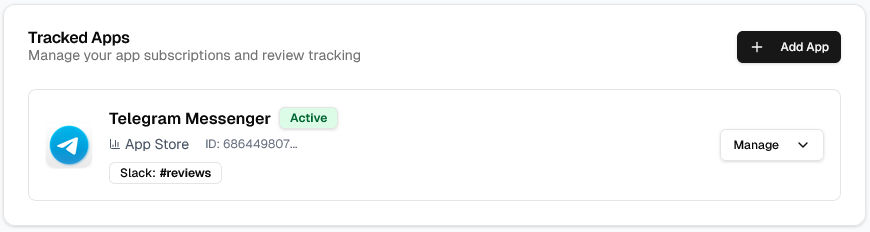
How subscriptions work
When you create a subscription, you're telling AppReviewBot which app to monitor and where to send the reviews. The system continuously checks for new reviews and routes them according to your configuration.
What a subscription includes
Each subscription defines:
- App details: The specific app to monitor (name, store, and app ID)
- Destination: The platform where reviews are delivered (Slack, email, Discord, etc.)
- Filters: Which reviews to send (by rating, country, or review type)
- Status: Whether monitoring is active
Subscription vs. destination
Understanding the distinction between these two concepts:
- Subscription: Represents one app you're monitoring on one store
- Destination: A platform where reviews are delivered
Setting up your first subscription
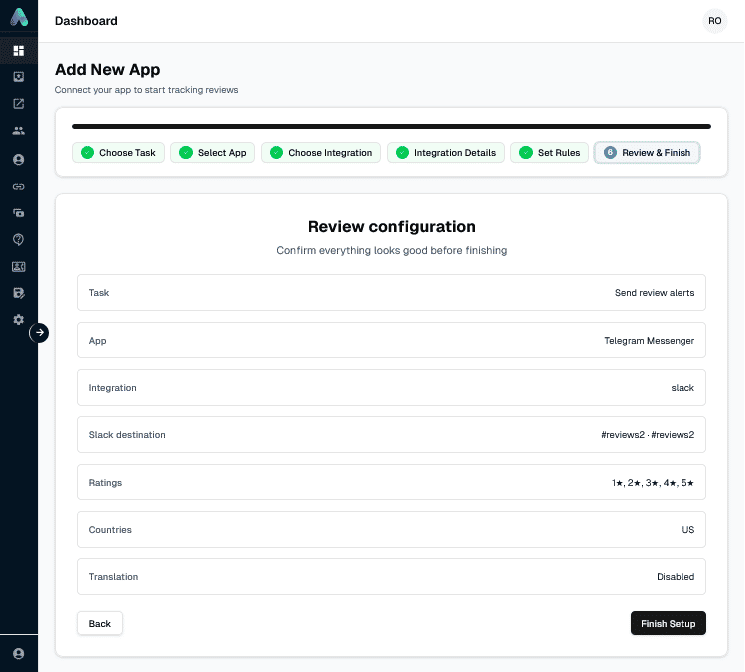
1. Add your app
Navigate to your dashboard and click Add App. Search for your app by name or enter the app ID directly.
2. Configure delivery
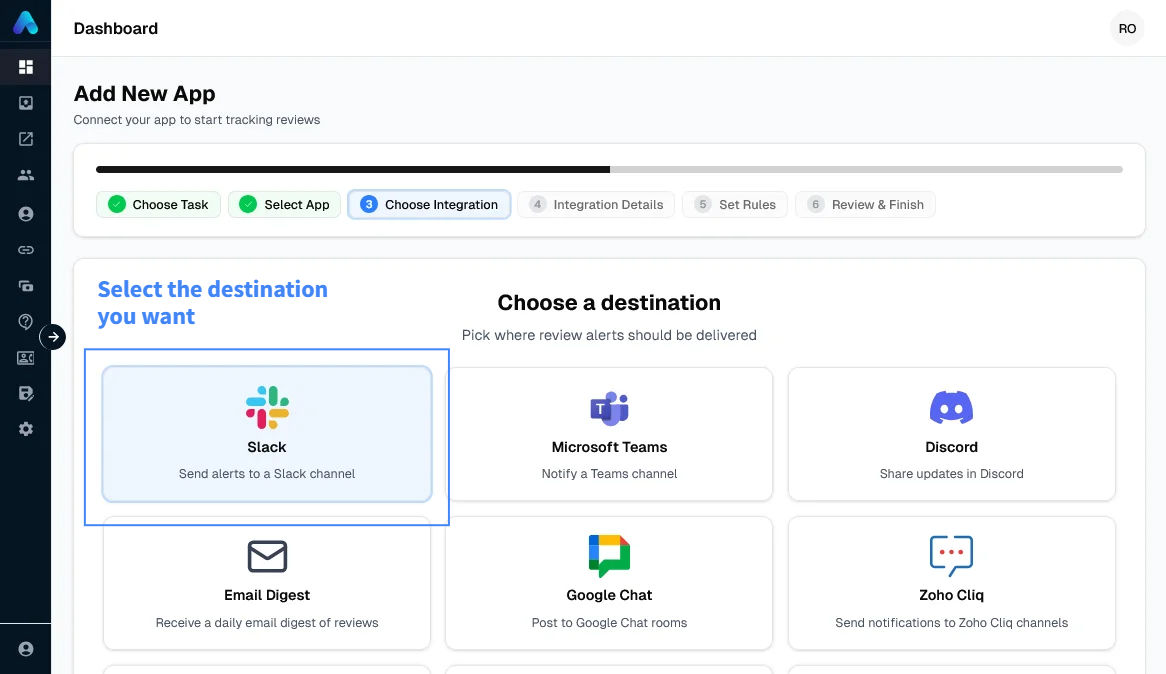
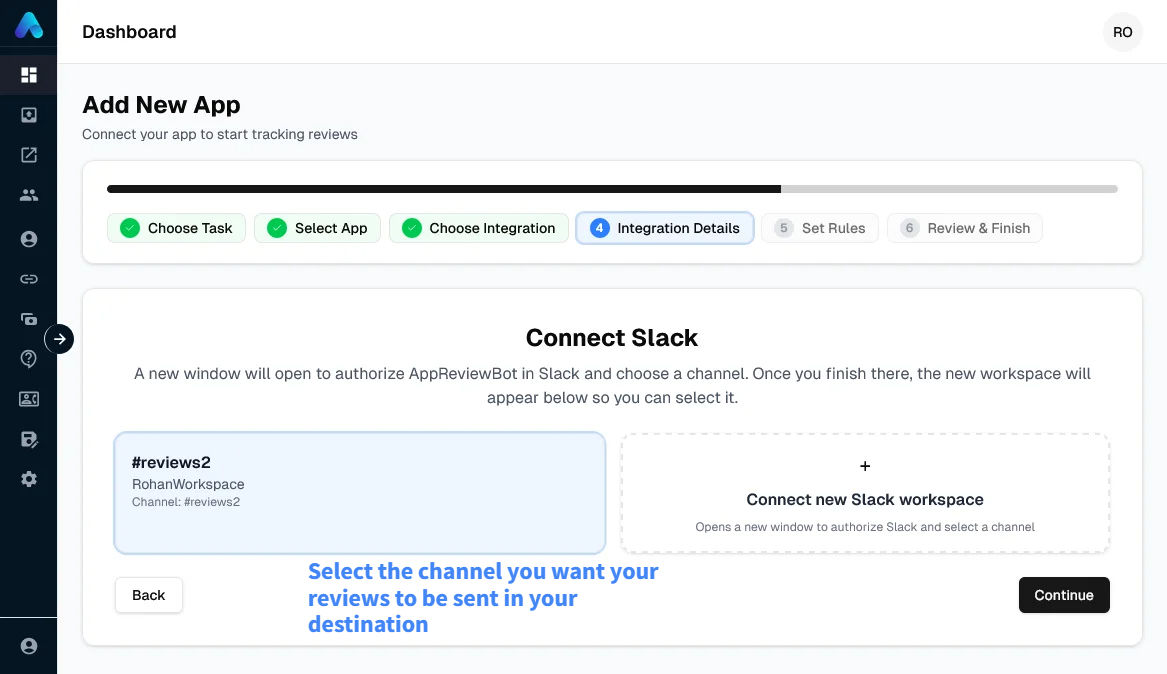
Select which destination should receive reviews from this app.
Select Platform
Select Channel
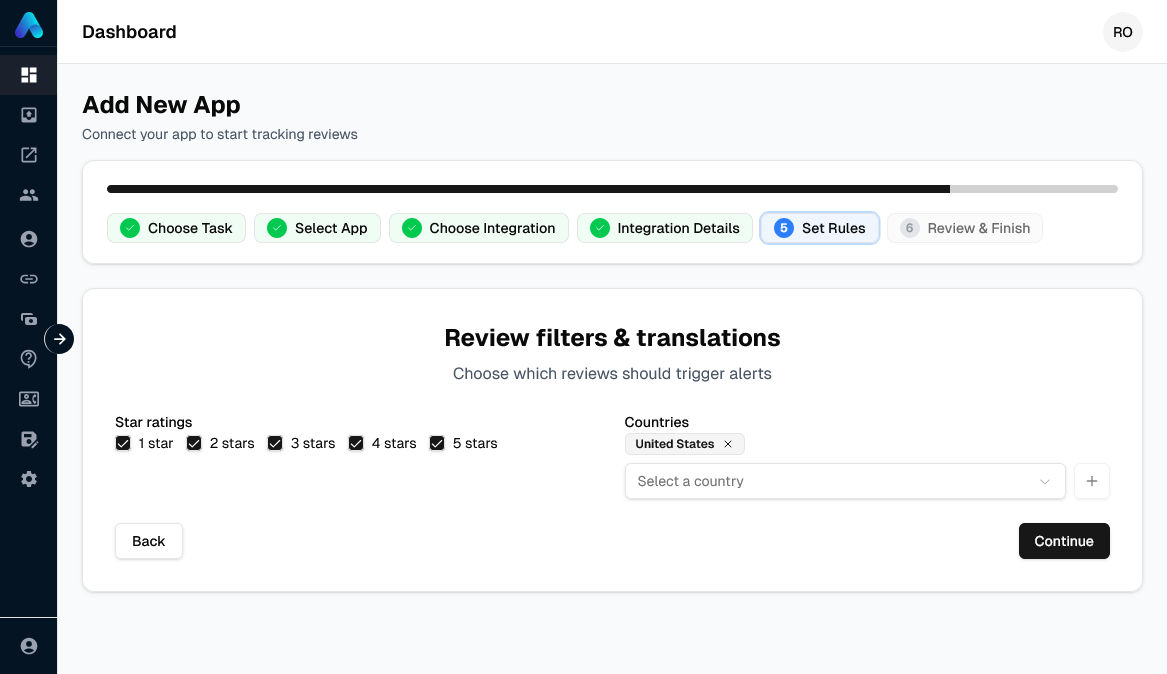
3. Set filters (optional)
Configure which reviews to receive:
- Rating filters: Send only specific star ratings (e.g., 1-2 stars for urgent support)
- Country filters: Limit to specific geographic regions
4. Activate monitoring
Click Finish create subscription and to start monitoring. Reviews will begin flowing to your destination shortly.
How apps are counted
Your plan limits how many apps you can monitor at the same time.
The basic rule
Each app you add counts as one subscription. The same app on iOS and on Android counts as two separate subscriptions.
Example counting
| App | Store | Count |
|---|---|---|
| Fitness App | Apple App Store | 1 |
| Fitness App | Google Play | 2 (different store) |
| Recipe App | Google Play | 3 |
Total subscriptions: 3
Plan limits
App limits depend on your plan — see the pricing page for current limits per tier.
Subscription status types
| Status | Description | Counts Toward Limit | Receiving Reviews |
|---|---|---|---|
| Active | Currently monitoring | Yes | Yes |
Learn how to manage these statuses in Managing Subscriptions.
Use Cases
Single app, multiple stores
Monitor the same app on both iOS and Android. This requires 2 subscriptions but lets you track reviews across both platforms.
Setup:
- Subscription 1: Your App (iOS) → Slack #ios-reviews
- Subscription 2: Your App (Android) → Slack #android-reviews
Competitor monitoring
Track competitor apps for market intelligence. Competitor apps count the same as your own apps.
Learn about competitor monitoring
Questions?
See common questions about subscriptions in our Subscriptions FAQ.